
To undock it, go to the toolbar in the upper left of the page.
Click View - Click Properties Editor - Click Undock Properties Editor
THE PROPERTIES EDITOR
The Properties Editor (PE) is your builder. Using the Properties Editor and the Toolbar Elements you will design your website. The best way to familiarize yourself with the SiteBuilder program is to practice. Open a new page and dive in. You can save the page as Practice or Play or whatever you wish to name it. Be sure to insert the No Index, No Follow tag to prevent it from being picked up by the search engines in case you publish it.
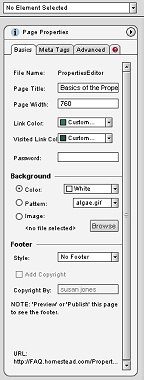
P.E. in Docked State
When you first start out, the PE is affixed to the right hand side of your page.

Use the internal search feature to the right or the site map for easy access to information.

>

Toolbar 1 ::
Toolbar 2 ::
Toolbar 3 - 4 ::
Toolbar 5 ::
Toolbar 6 ::


This site is not owned by Homestead Technologies™ and is not intended
as a replacement for Intuit Homestead Help Sections or Technical Support.

Copyright © 2006 - Homestead Connection - All Rights Reserved
Homestead Website Design and SEO - S&J Enterprises
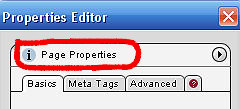
Once undocked, click on it while keeping the left mouse button depressed and drag to place it where you want. You re-dock using the same method. Click View - Properties Editor - Click Dock
If you close the PE or "lose" it, simply do a fast left double click on your page background and it will re-appear. You can also go back to View and retrieve it from there as in the steps above.


 | ||||
